The Risk Prioritization Scanner page displays the following information:
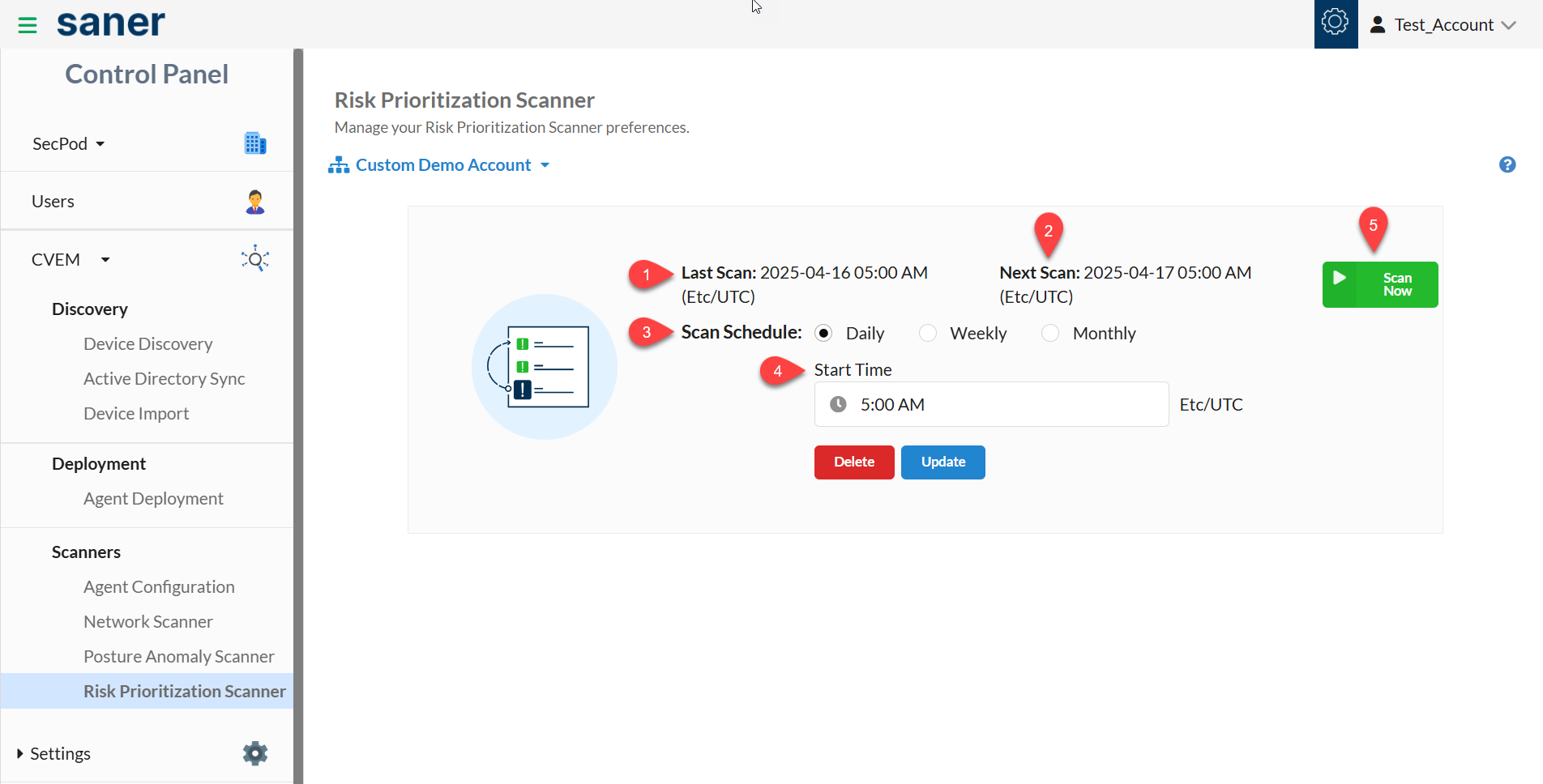
: This label displays the date and time of the last Risk Prioritization scan performed on the Account.
: This label displays the date and time for the upcoming Risk Prioritization scan scheduled for the Account.
: You can schedule an automated Risk Prioritization scan for an Account. The following options are available for scheduling an automated Risk Prioritization Scan:
- Daily
- Weekly
- Monthly
: You can specify the time when you want the Risk Prioritization scan on an Account to start. And then, save the specified timings using the Update button. Similarly, the Delete button deletes any existing Risk Prioritization scan schedule. However, scheduled Risk Prioritization scans won't occur if no existing scan schedules exist.
: The Scan Now button performs an On-demand Risk Prioritization scan on an Account.
To perform an On-demand Risk Prioritization scan on an Account, please follow the instructions mentioned below:
: Select the Account to perform a Risk Prioritization scan from the drop-down menu on the page's left side.
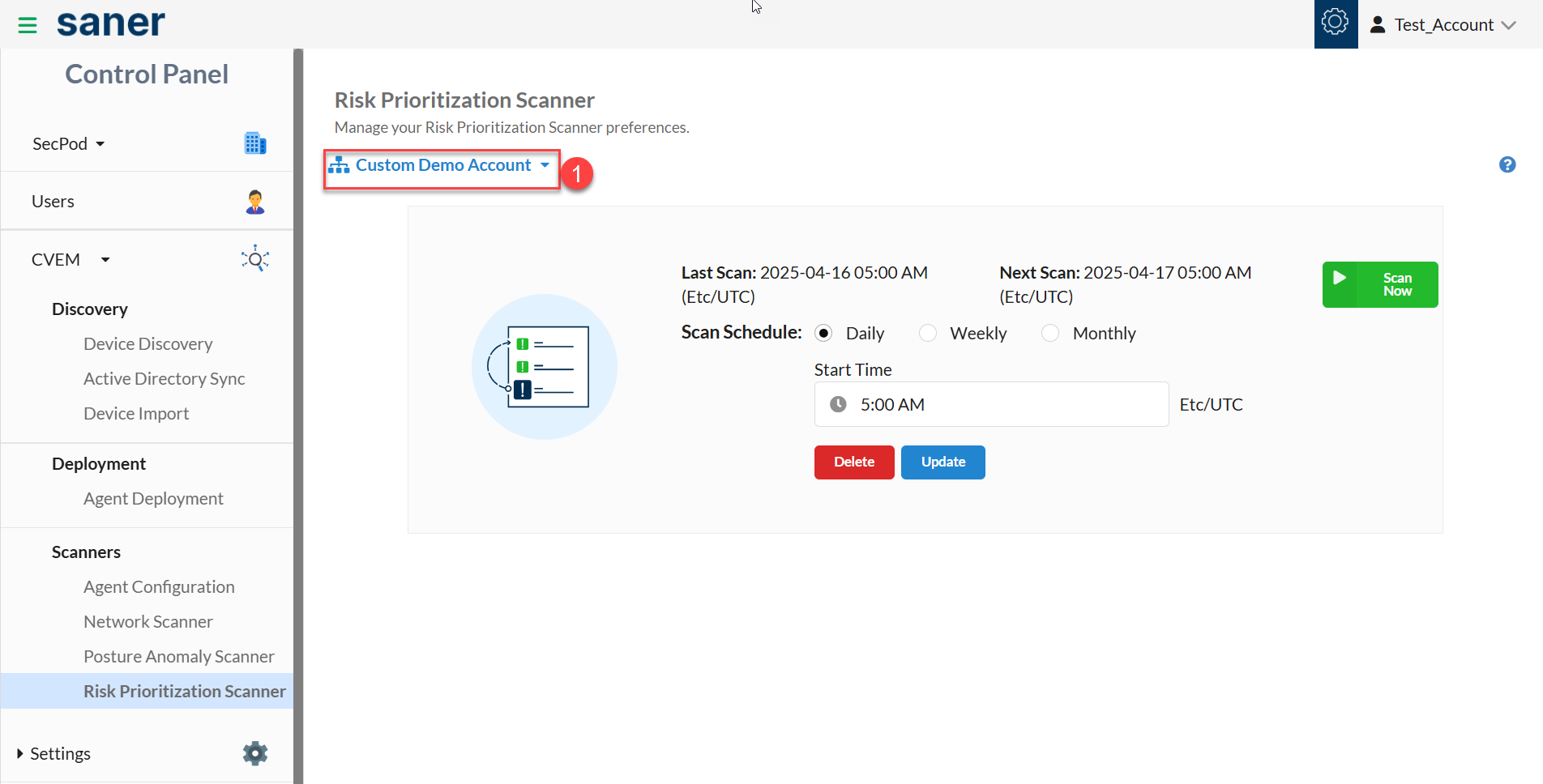
: Click on the Scan Now button to start the Risk Prioritization scan.
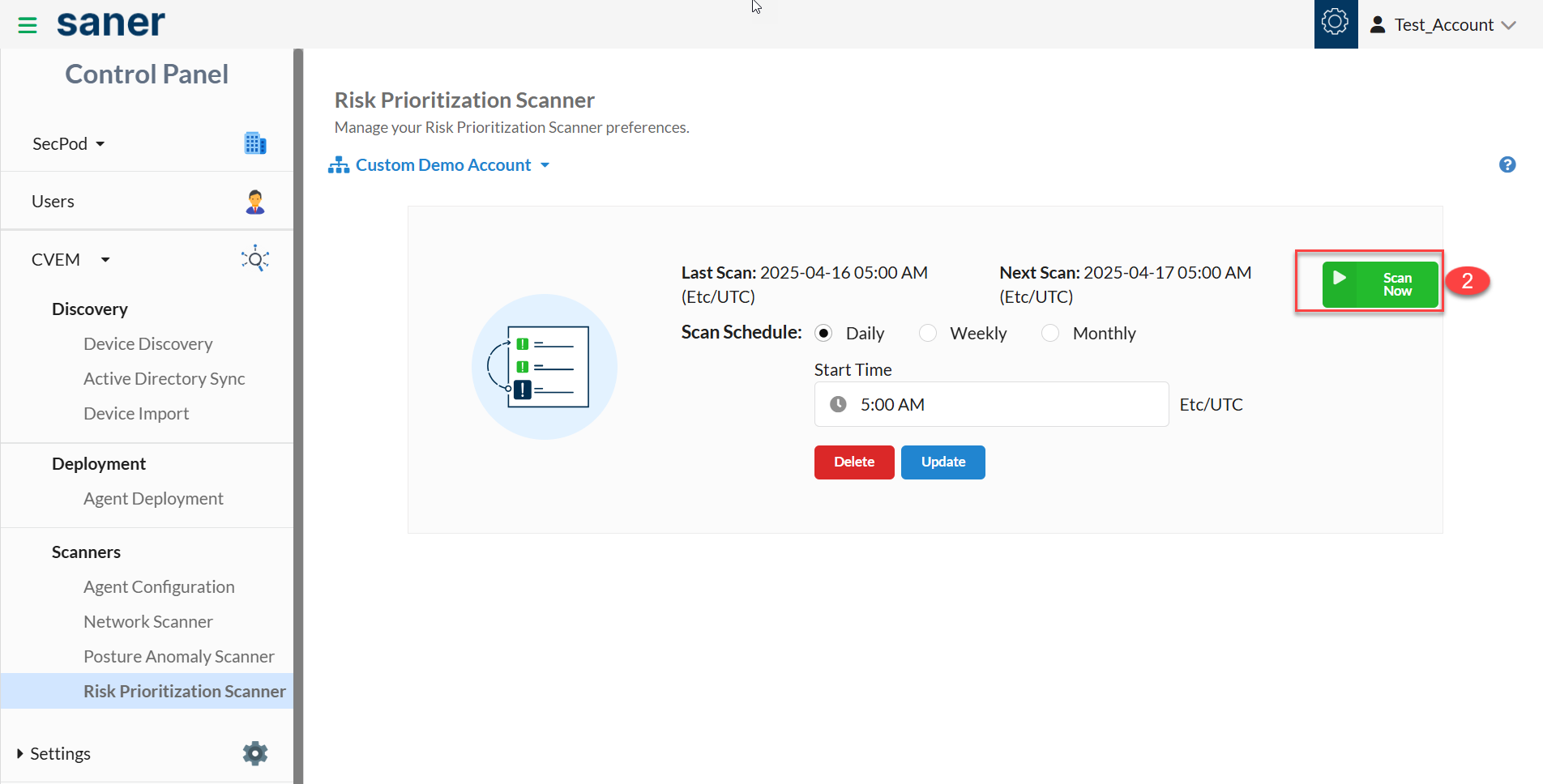
A Success pop-up message appears on the top right of the page.
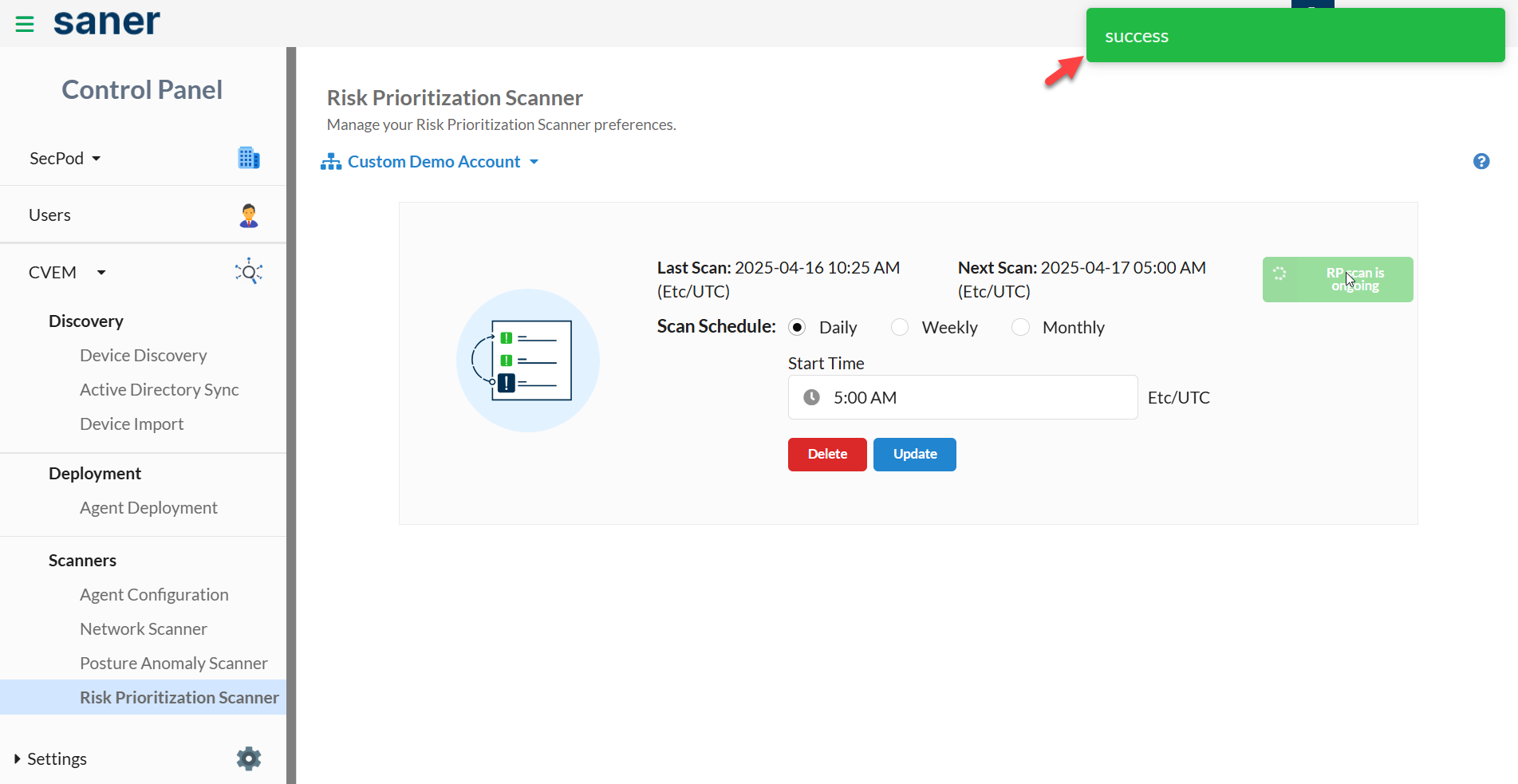
The Scan Now button will display the ongoing Risk Prioritization scan status.
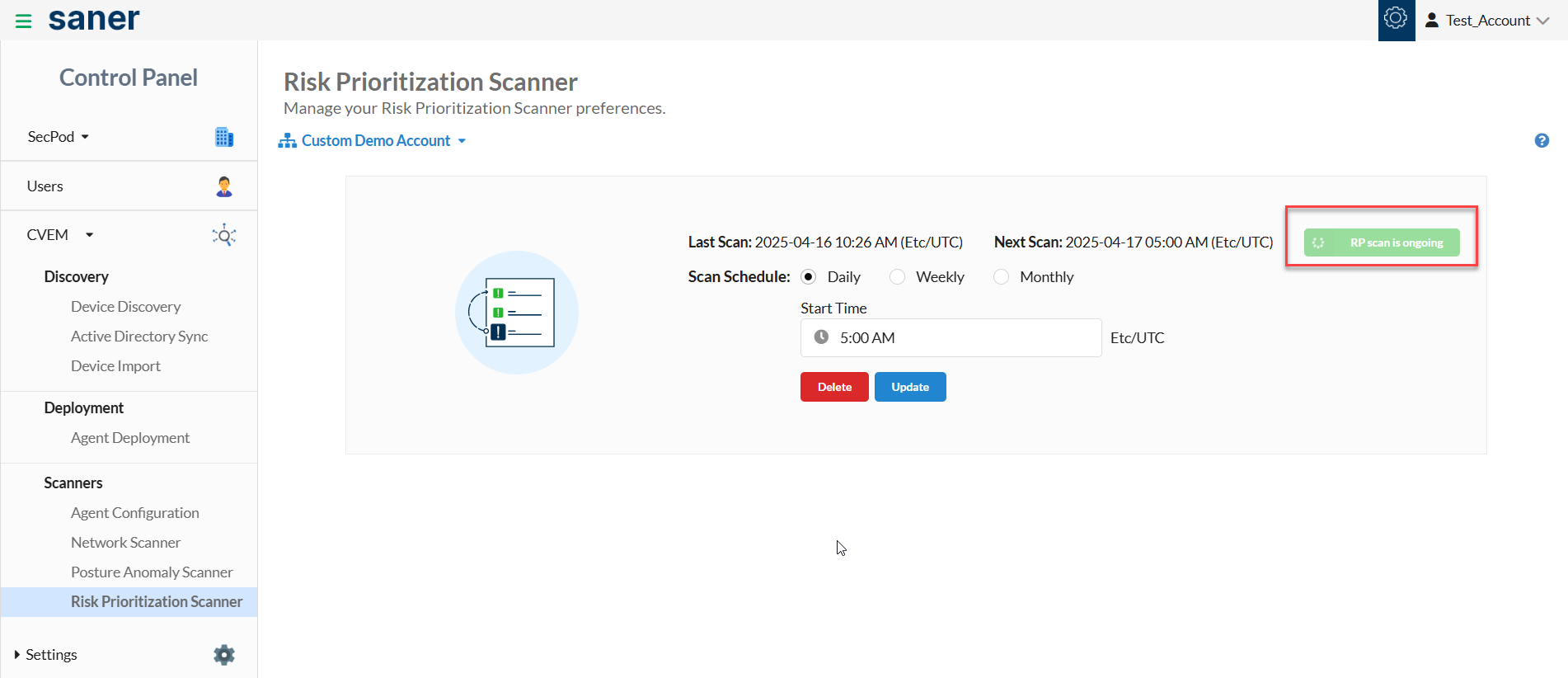
The time needed to complete the Risk Prioritization scan may vary depending on the number of devices present in an Account.
Apart from performing an On-demand Risk Prioritization scan, you can schedule a Risk Prioritization scan on an Account.
The following options are available for scheduling a Risk Prioritization Scan:
- Daily
- Weekly
- Monthly
Follow the below steps to schedule a daily Risk Prioritization scan on an Account:
: Select the Account to perform a Risk Prioritization scan from the drop-down menu on the page's left side.
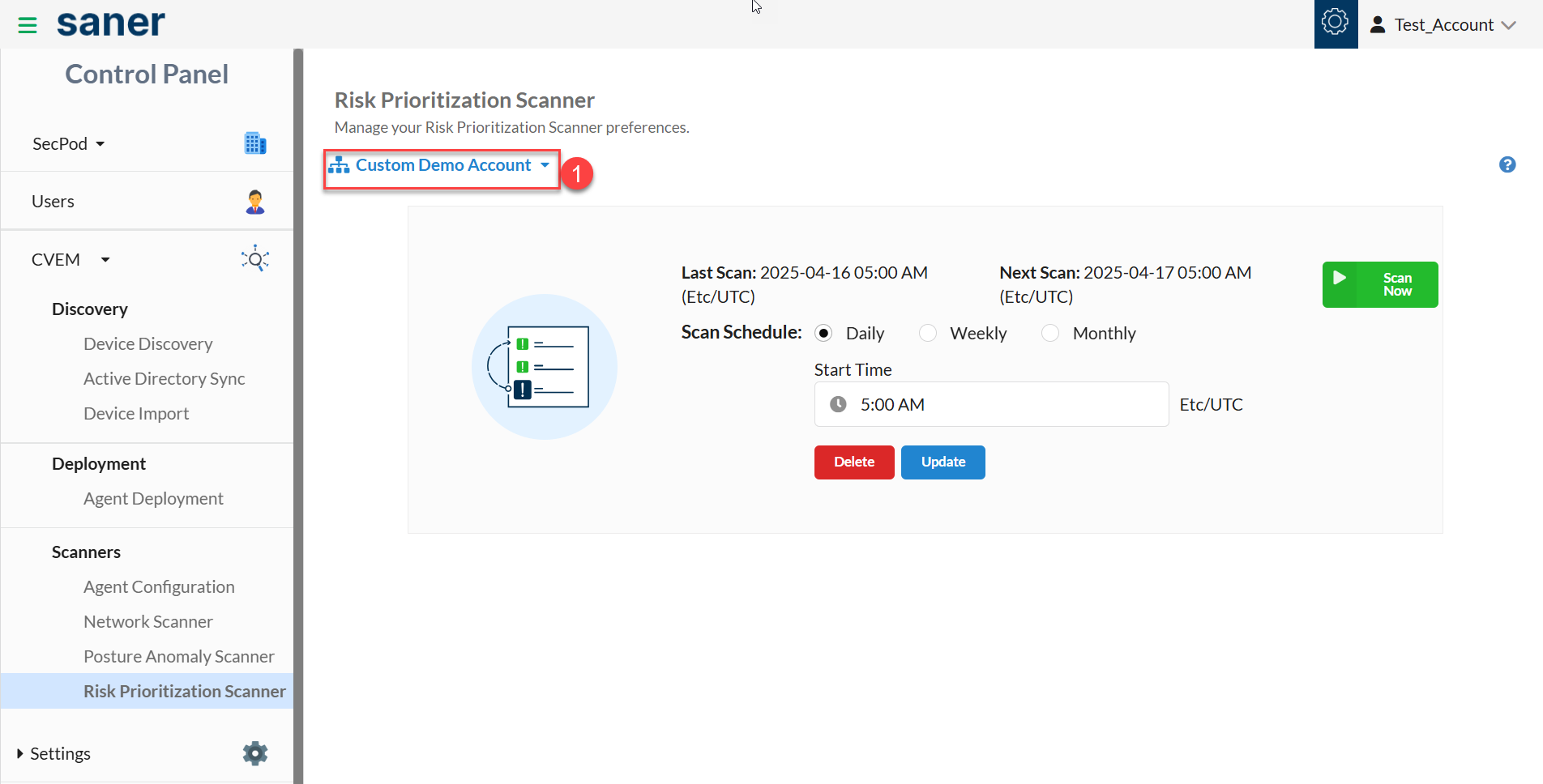
: Select the Scan Schedule as Daily .
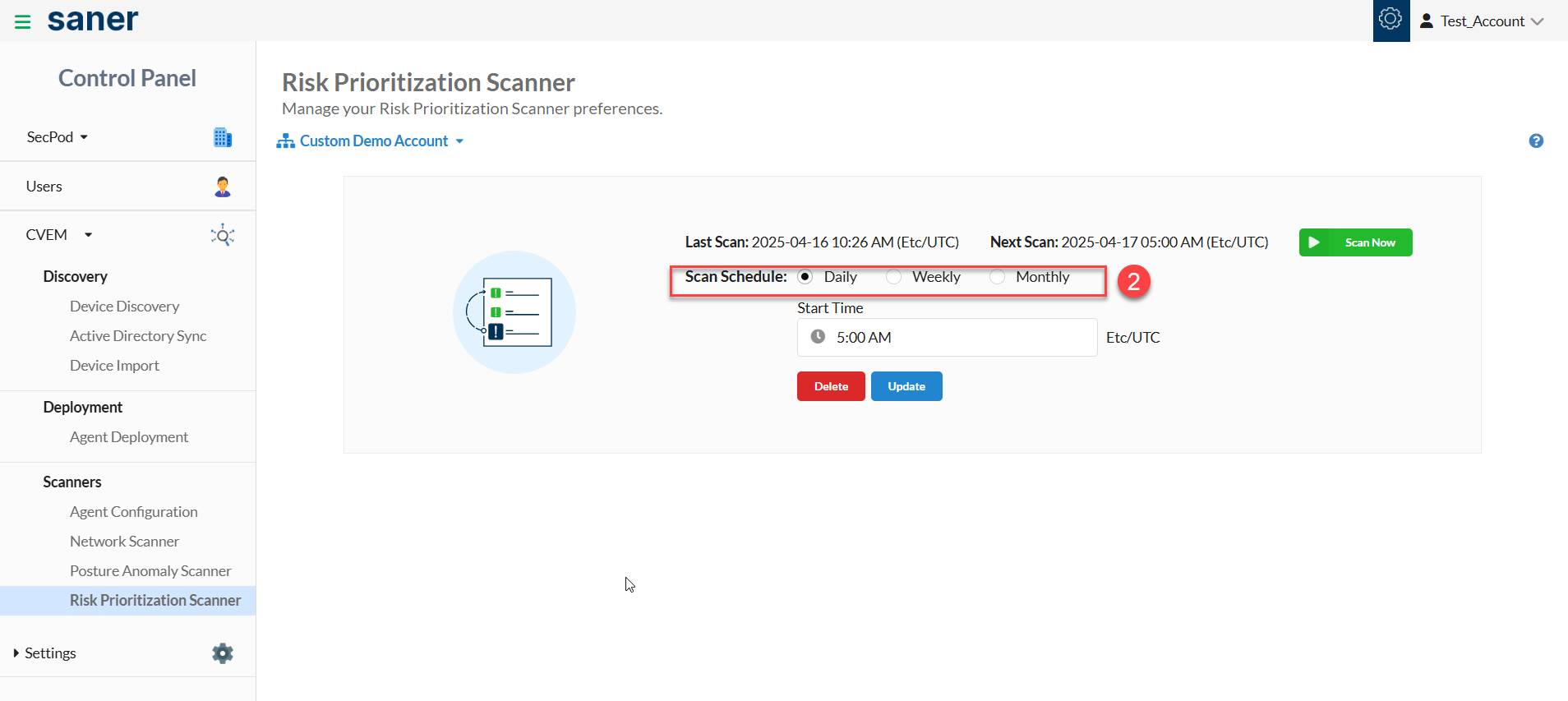
: On the Start Time drop-down box, specify when you want the Risk Prioritization scan performed on the Account.
: Click the Update button to save the selected timings in the Risk Prioritization scan configuration. You've successfully scheduled a daily Risk Prioritization scan.
Follow the below steps to schedule a weekly Risk Prioritization scan on an Account:
: Select the Account to perform a Risk Prioritization scan from the drop-down menu on the page's left side.
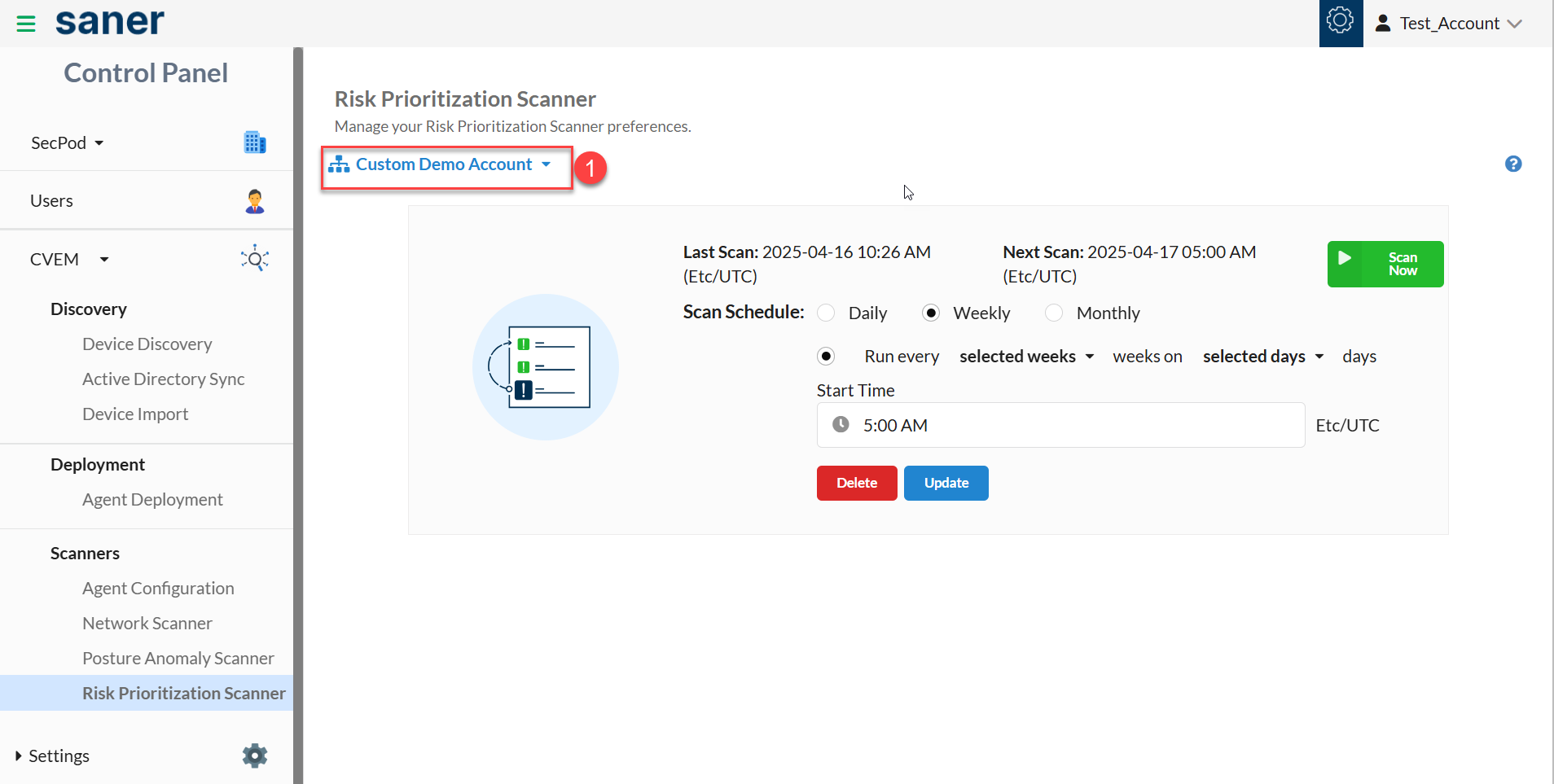
: Select the Scan Schedule as Weekly.
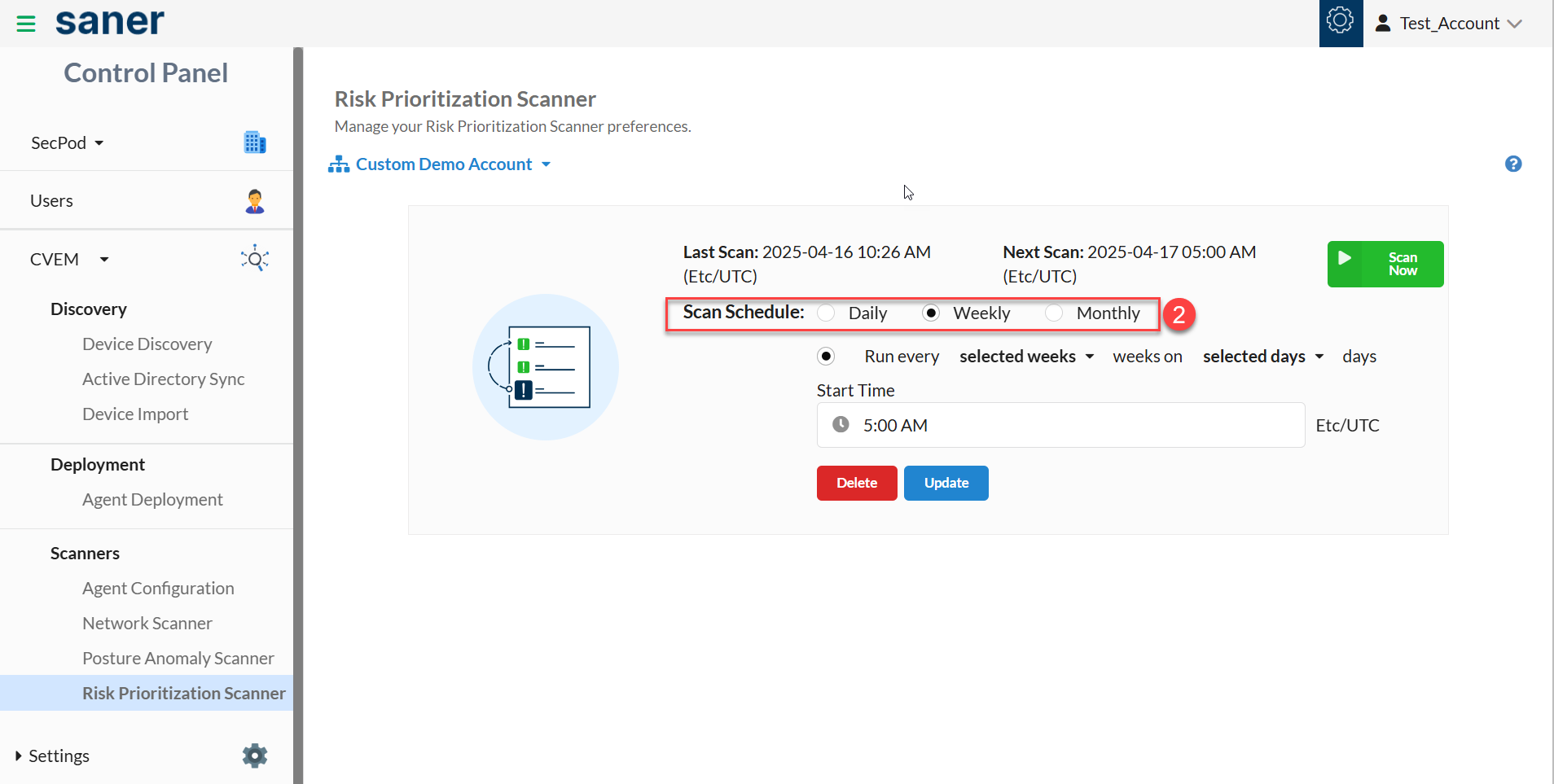
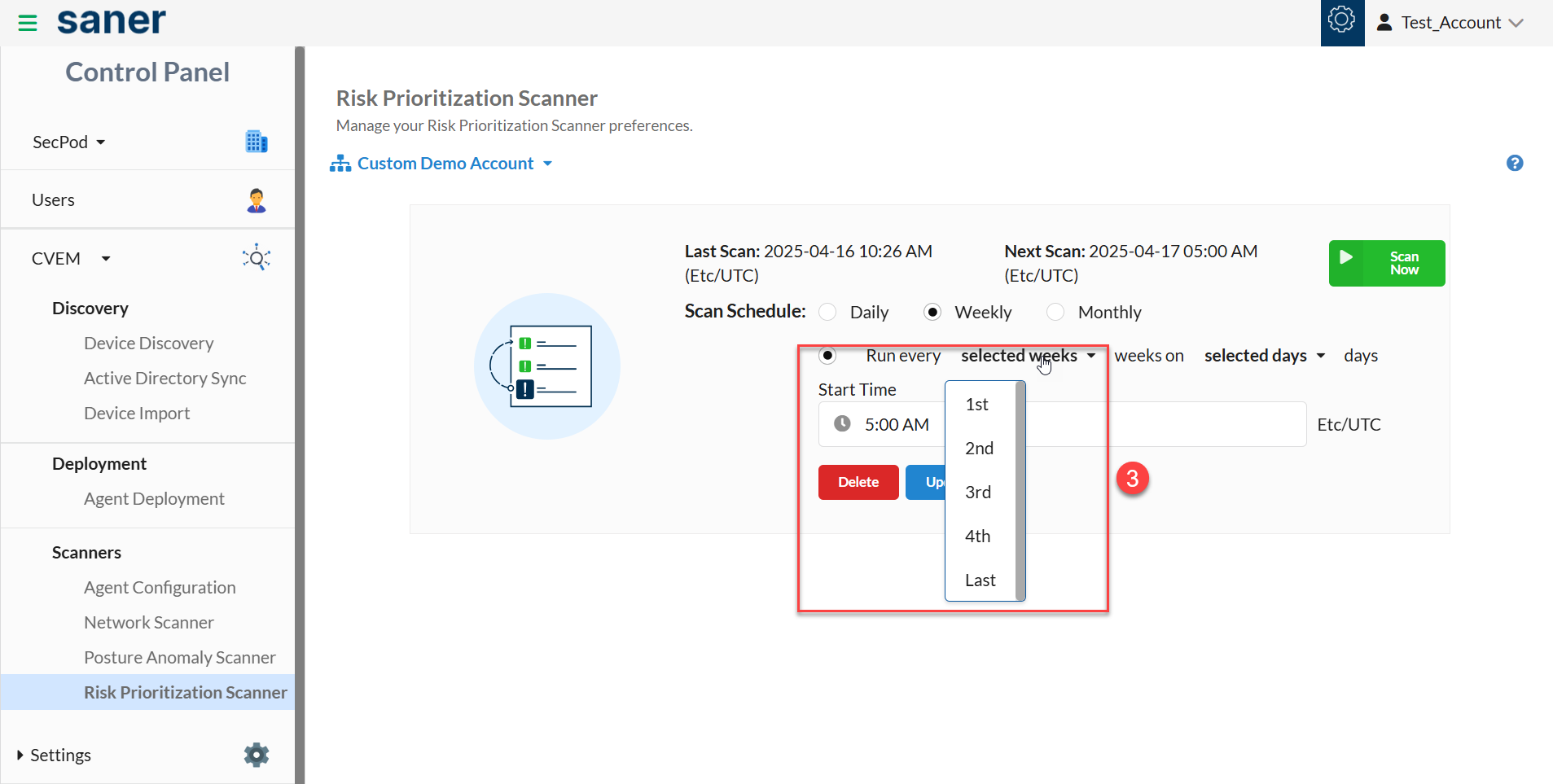
: Select the weeks you want the Risk Prioritization scan to occur.
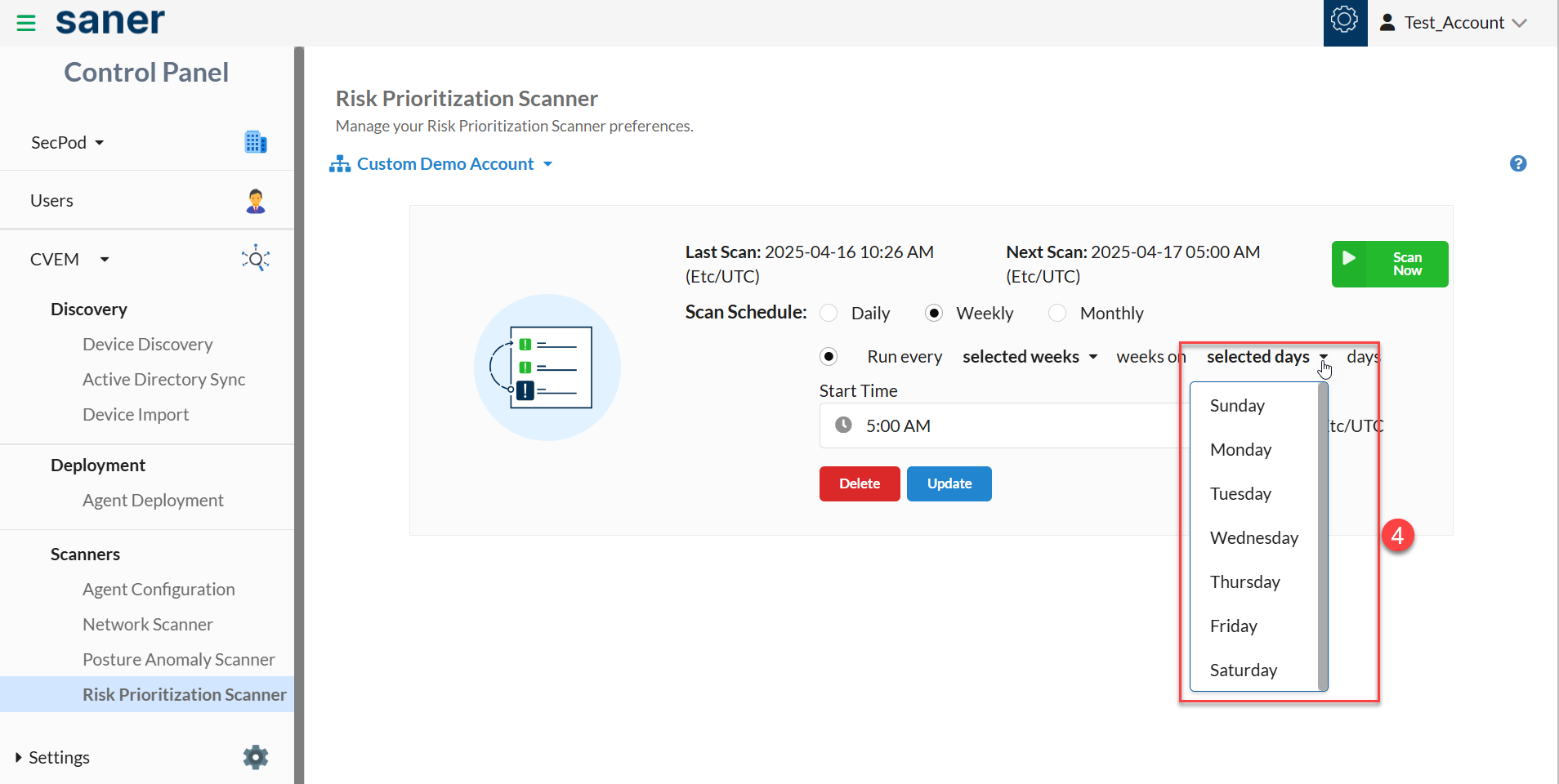
: Select the days on which you want the Risk Prioritization scan to take place.
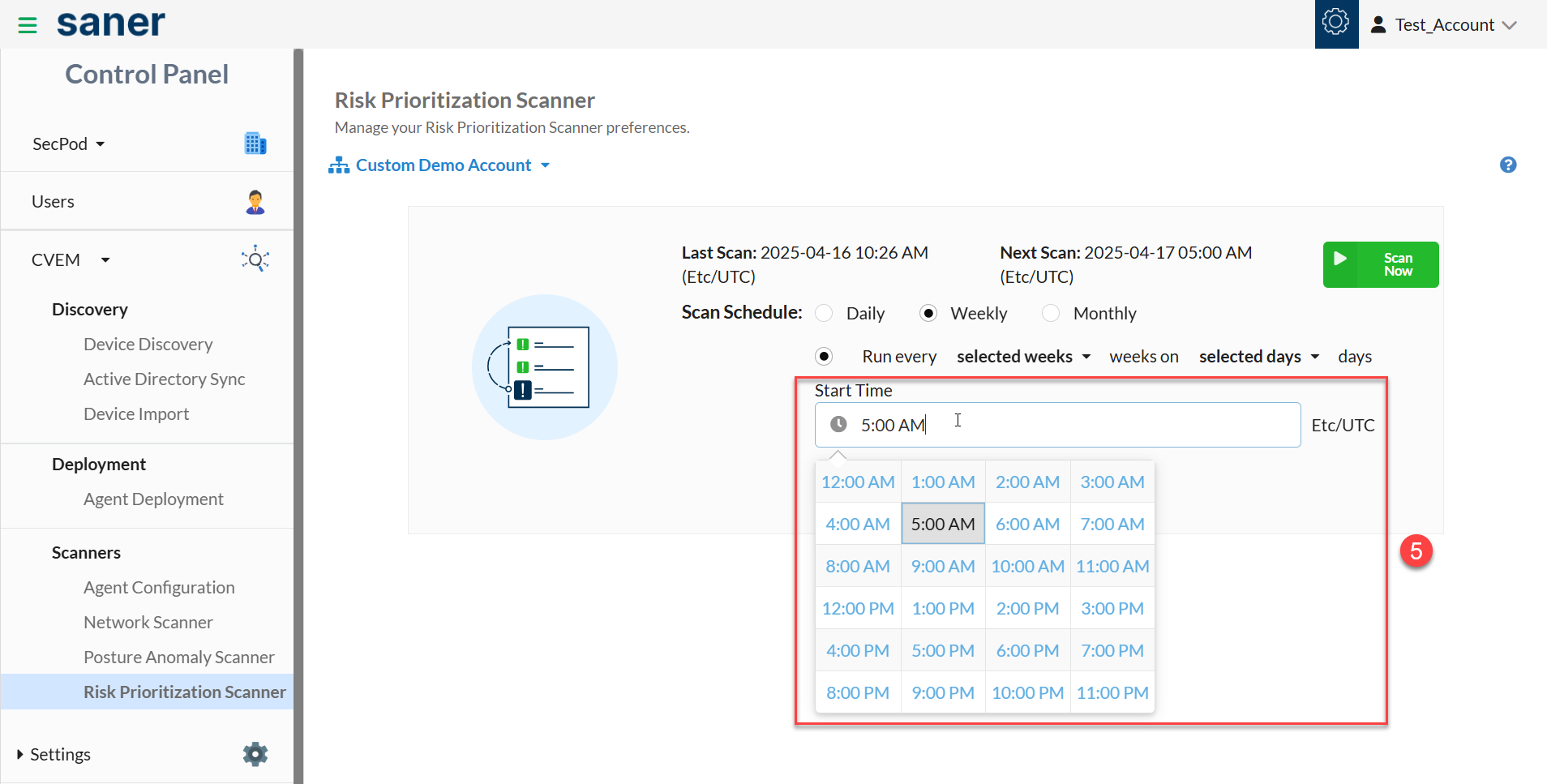
: From the Start Time textbox, specify the time when you want the Risk Prioritization scan to start on the Account.
: Click the Update button to save the weekly Risk Prioritization scan configuration settings. You've successfully scheduled a weekly Risk Prioritization scan.
Follow the below steps to schedule a monthly Risk Prioritization scan on an Account
: Select the Account to perform a Risk Prioritization Scan from the drop-down menu on the page's left side.
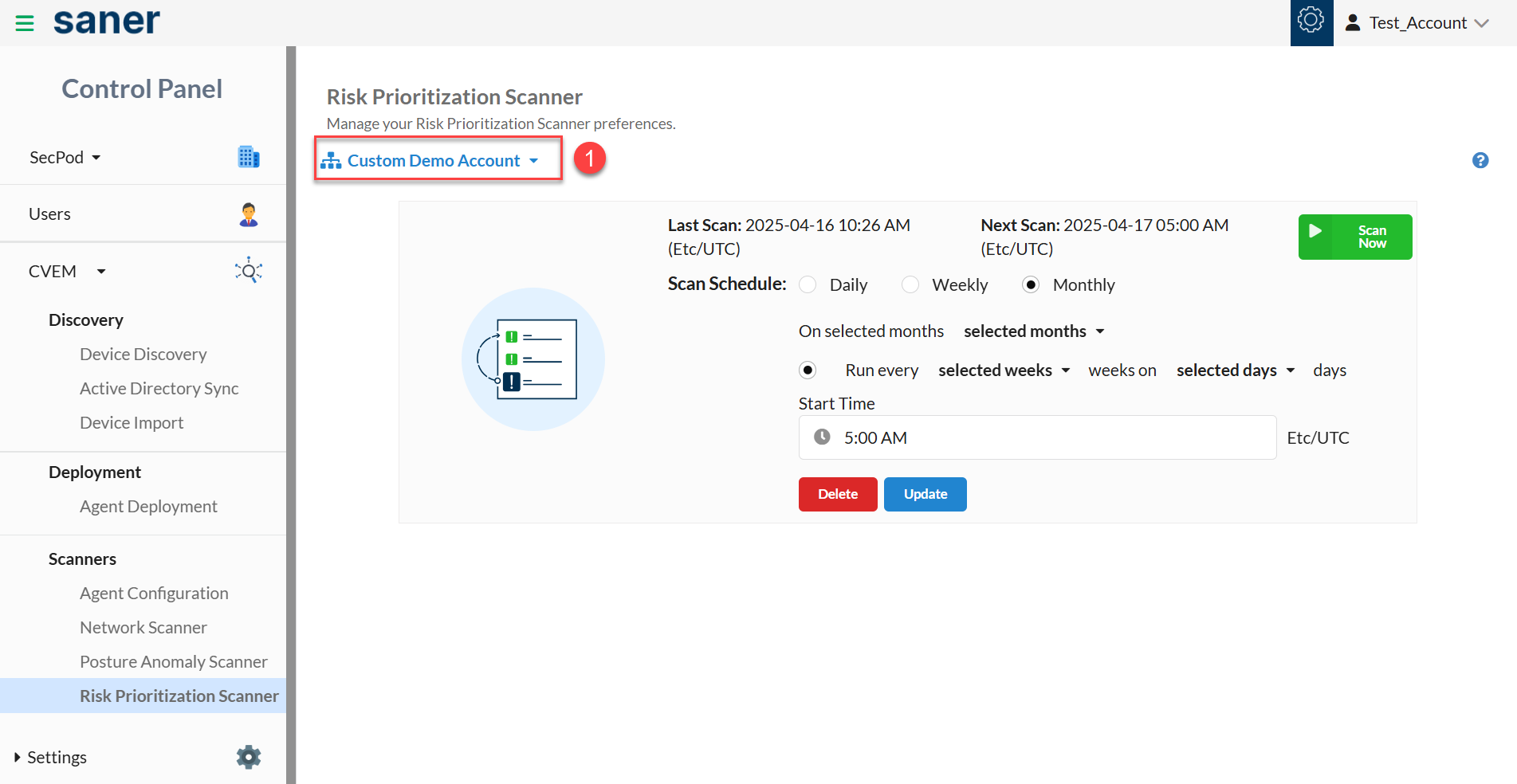
: Select the Scan Schedule as Monthly.
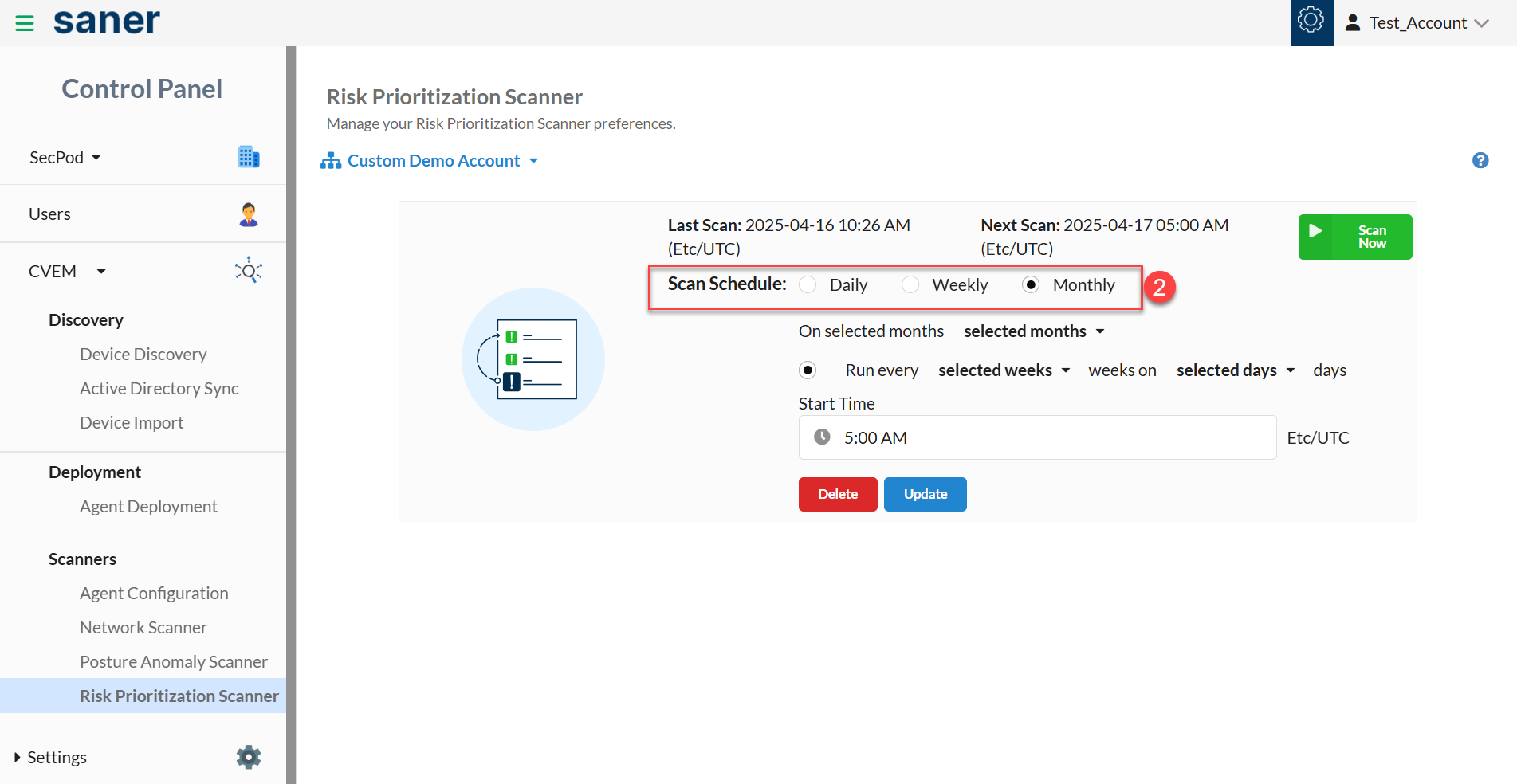
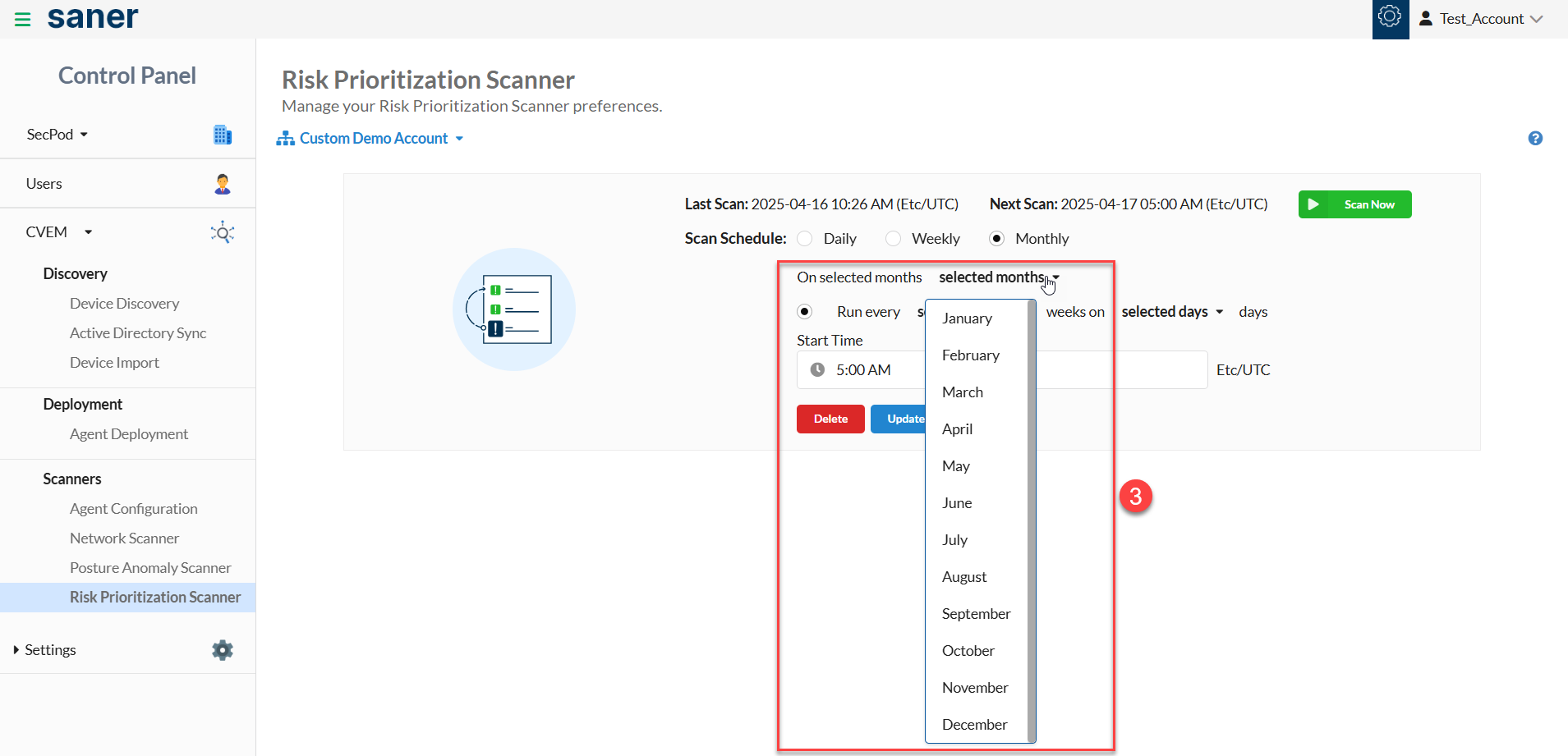
: Select the months on which you want the Risk Prioritization scan to happen.
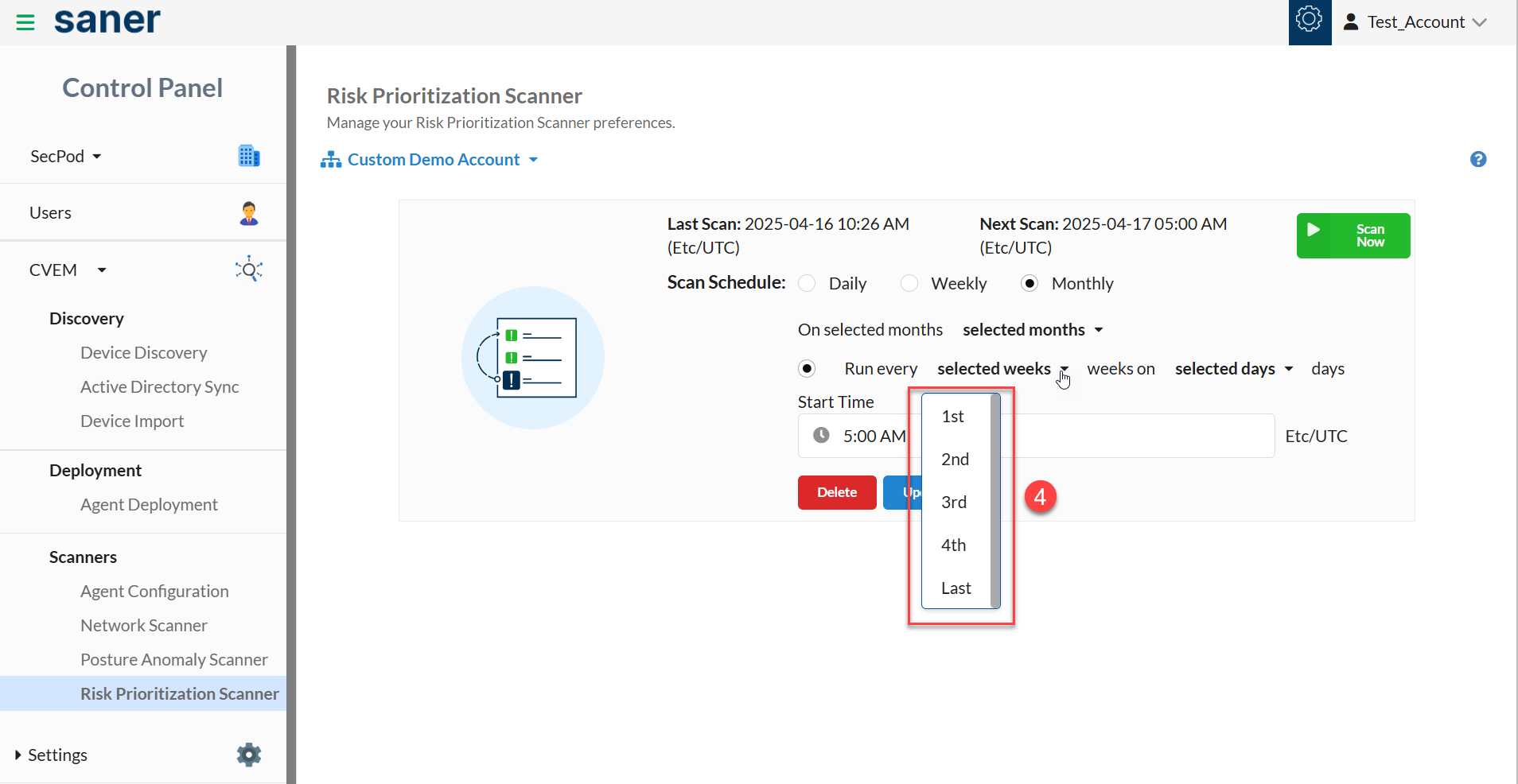
: Select the weeks on which you want the Risk Prioritization scan to happen.
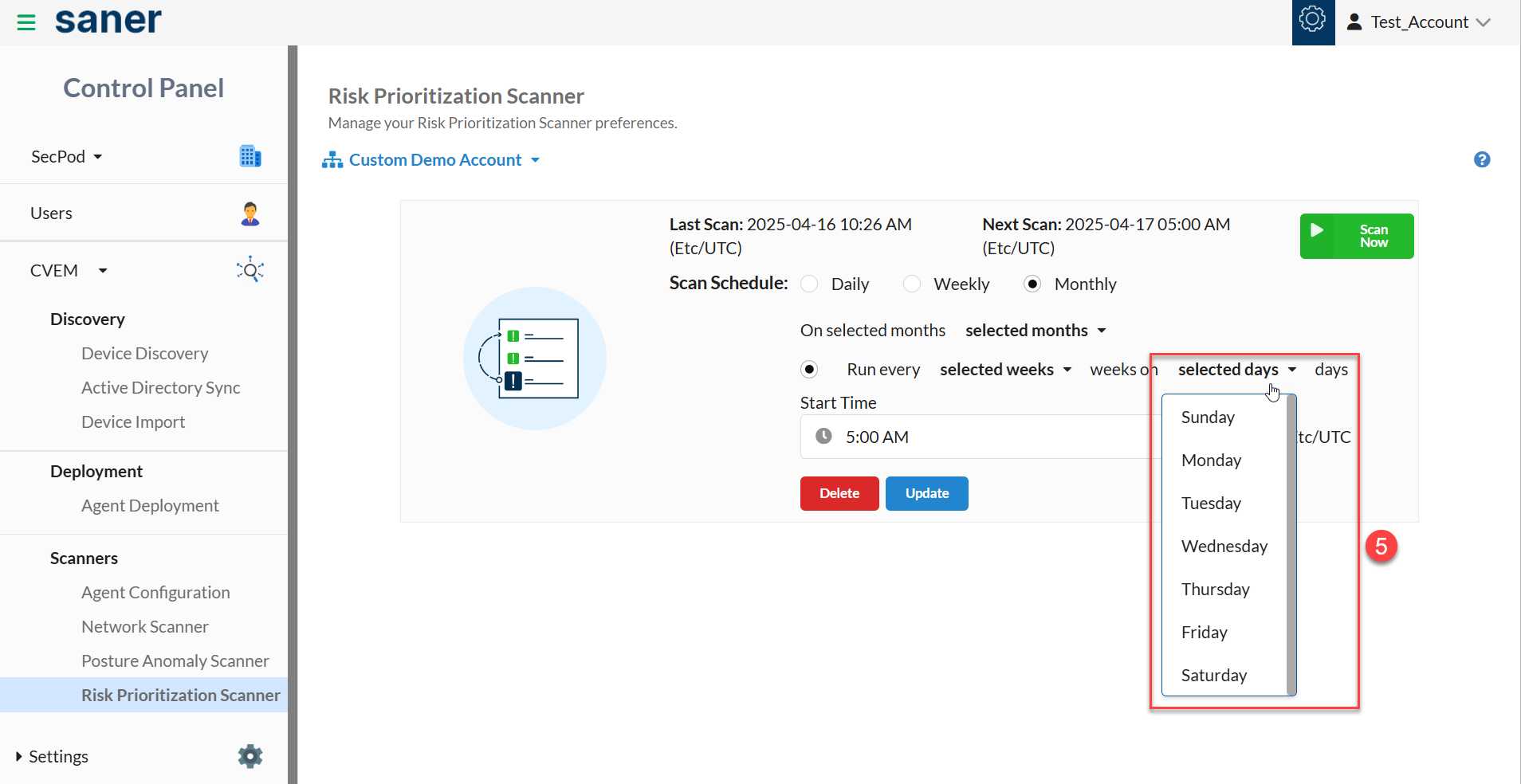
: Select the days on which you want the Risk Prioritization scan to happen.
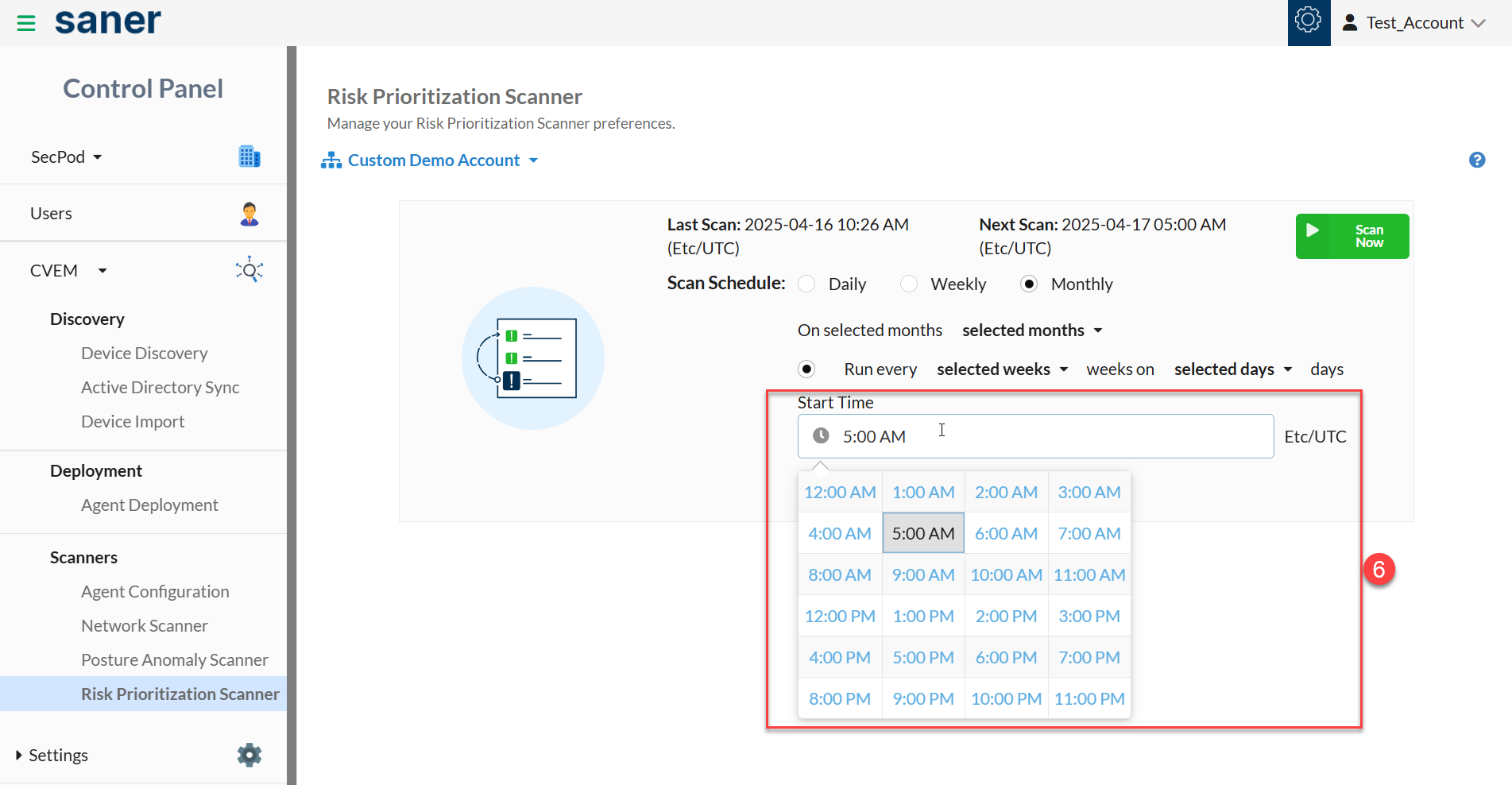
: From the Start Time drop-down box, specify the time when you want the monthly Risk Prioritization scan to start.
: Click the Update button to save the monthly Risk Prioritization scan configuration settings. You've successfully scheduled a monthly Risk Prioritization scan.